
Quickstart Guide
Get up and running with Bisync Hub in less than 5 minutes.
1. Quick Installation
Execute the automated installer to download the latest signed binary and setup basic system integration:
curl -sSL https://raw.githubusercontent.com/slemmercs/rclone-bisync/main/deploy/install.sh | bash
Manual Binary Download
Alternatively, download the target binary directly from GitHub Releases:
# Example for Linux x86_64
curl -LO https://github.com/slemmercs/rclone-bisync/releases/latest/download/rclone-bisync-linux-amd64
chmod +x rclone-bisync-linux-amd64
sudo mv rclone-bisync-linux-amd64 /usr/local/bin/rclone-bisync

# Optional: create friendly symlink
sudo ln -sf /usr/local/bin/rclone-bisync /usr/local/bin/bisync-hub
2. Configuration (bisync.env)
Generate a starting configuration or customize bisync.env in your working directory:
# ------------------------------------------------------------------------------
# Bisync Hub Core Configuration
# ------------------------------------------------------------------------------
PORT=8080
BIND_ADDR=127.0.0.1

# Sync Paths
PATH1=/home/operator/data
PATH2=onedrive:data_backup

# Safety & Circuit Breakers
SAFETY_MAX_DELETE_COUNT=25
SAFETY_MAX_DELETE_RATIO=0.10
SAFETY_ENABLE_CANARY=true
CANARY_FILENAME=RCLONE_TEST

# Conflict Engine Settings
CONFLICT_AUTO_RESOLVE_MIN_CONFIDENCE=0.85
CONFLICT_BACKUP_LOSERS=true

# Notification Webhooks
# WEBHOOK_URL=https://discord.com/api/webhooks/...
3. Starting the Server
Run the orchestrator interactively:
# Launch the real-time operational dashboard
rclone-bisync dashboard --env-file bisync.env

# Or test synchronization in dry-run simulation mode
rclone-bisync sync --dry-run --env-file bisync.env
Open your browser to http://localhost:8080 to access the real-time operational dashboard, inspect remote mounts, check canary health, and review pending sync events.
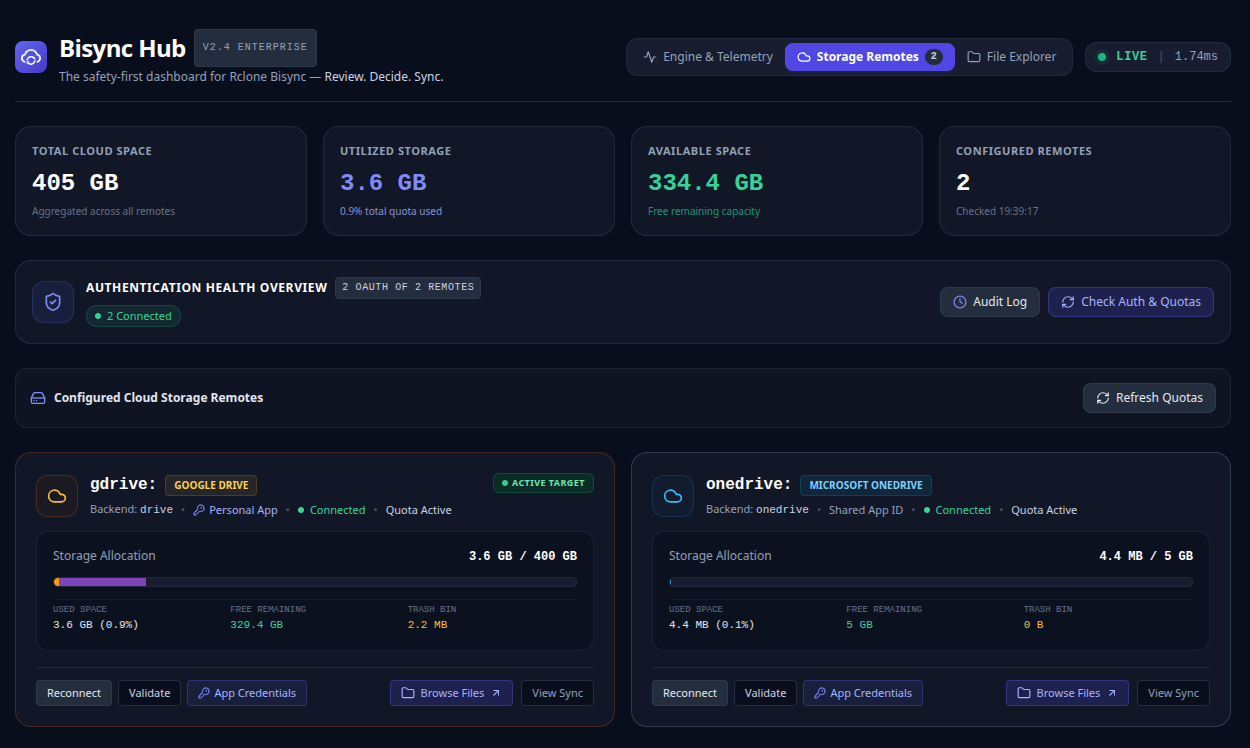
Storage Remotes Remote health checks & OAuth indicators
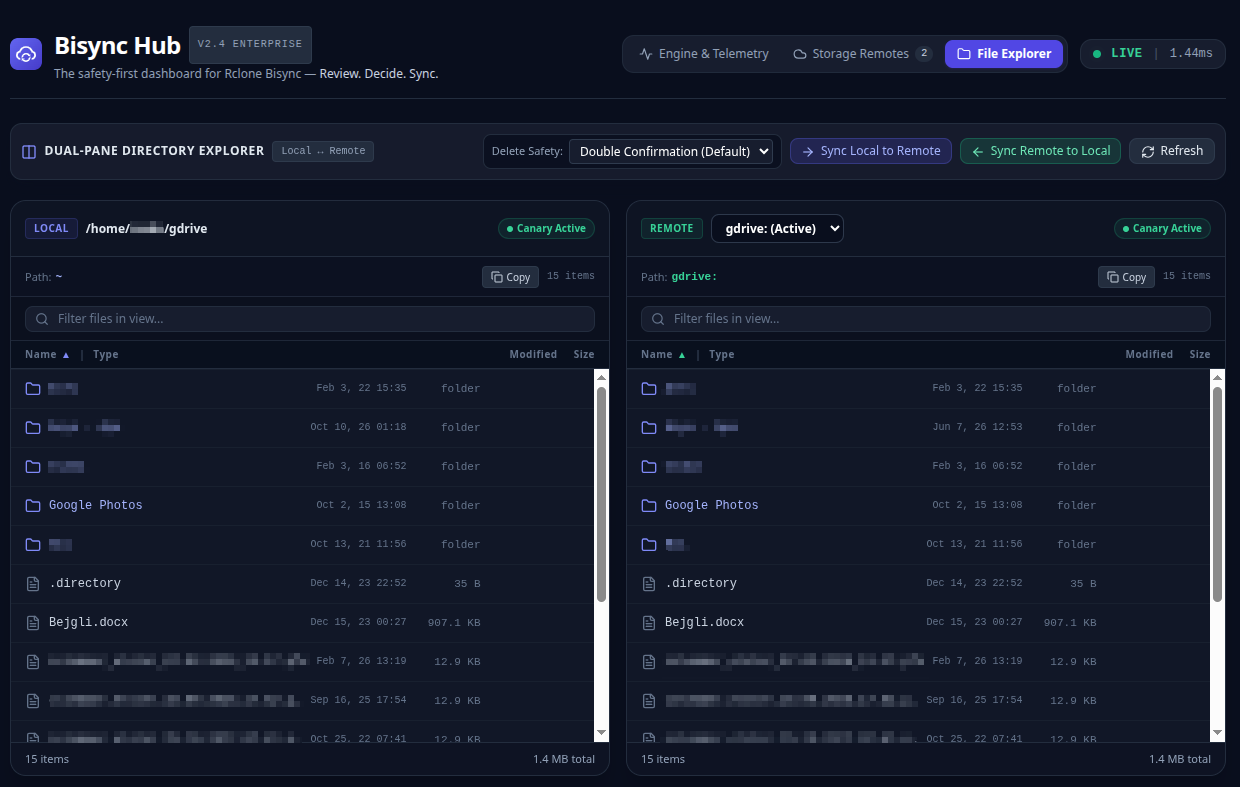
Dual-Pane Explorer Browse local and remote directories
4. Running as a Systemd Service
For continuous 24/7 background operation on Linux:
# /etc/systemd/system/bisync-hub.service
[Unit]
Description=Bisync Hub Cloud Orchestrator
After=network-online.target
Wants=network-online.target

[Service]
Type=simple
User=csaba
WorkingDirectory=/home/csaba/sync
ExecStart=/usr/local/bin/rclone-bisync dashboard --env-file /home/csaba/sync/bisync.env
Restart=always
RestartSec=10

[Install]
WantedBy=multi-user.target
Enable and start the service:
sudo systemctl daemon-reload
sudo systemctl enable --now bisync-hub