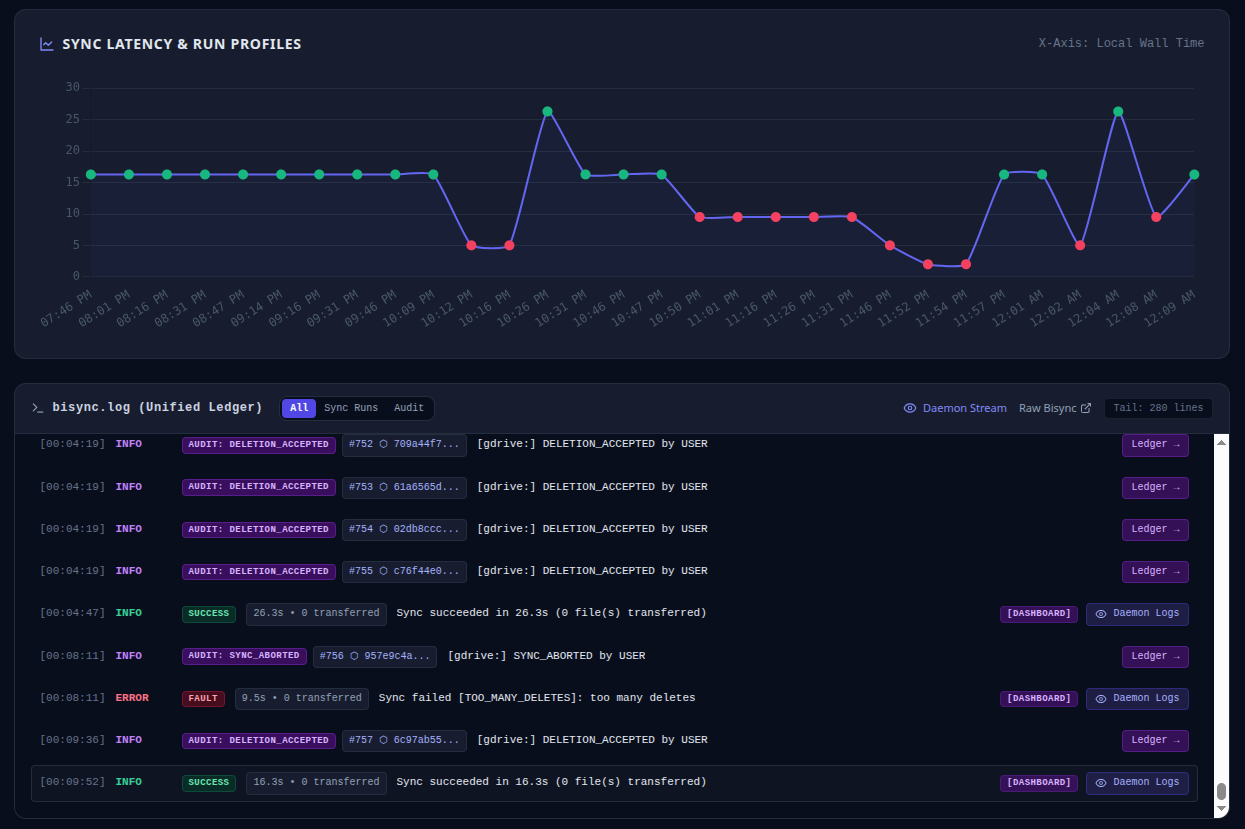
Interactive Sync Review & Deletion Diff Visualizer
Standard automated sync daemons run unattended in background crons. When an unexpected deletion wave occurs—such as an operator accidentally moving a root directory or an external service wiping a folder—unattended sync immediately replicates the wipe across all replicas.
Bisync Hub introduces an interactive human-in-the-loop inspection barrier before destructive mutations are committed.
How It Works
[ Trigger Sync ] ──► [ Dry-Run Operation ] ──► [ Parse Mutation List ]
                                                       │
                           ┌───────────────────────────┴───────────────────────────┐
                           ▼                                                       ▼
                Deletions <= Max Threshold                              Deletions > Max Threshold
                           │                                                       │
                           ▼                                                       ▼
                [ Auto-Apply Policies ]                                [ HALT & Emit Review Event ]
                                                                                   │
                                                                                   ▼
                                                                       [ Operator Decision Modal ]
                                                                        • Confirm Specific Deletes
                                                                        • Reject / Abort Run
                                                                        • Override Heuristics
1. Dry-Run Mutation Analysis
Every scheduled or manual sync cycle executes in --dry-run inspection mode first. The engine streams the stdout/stderr mutation log and categorizes every proposed operation:
+ CREATE: New file appearing on either Path1 or Path2.~ MODIFY: Content or metadata discrepancy requiring replication.- DELETE: Proposed removal of a file or directory.
2. High-Severity Quota Halts
If proposed deletions exceed either:
- The absolute file limit (e.g.
MAX_DELETE_COUNT=50), or - The directory percentage ratio (e.g.
MAX_DELETE_PERCENT=10%),
the sync engine immediately trips the circuit breaker, writes an atomic .review_pending state, and emits real-time WebSocket notifications to the management dashboard.
3. Granular Operator Triage
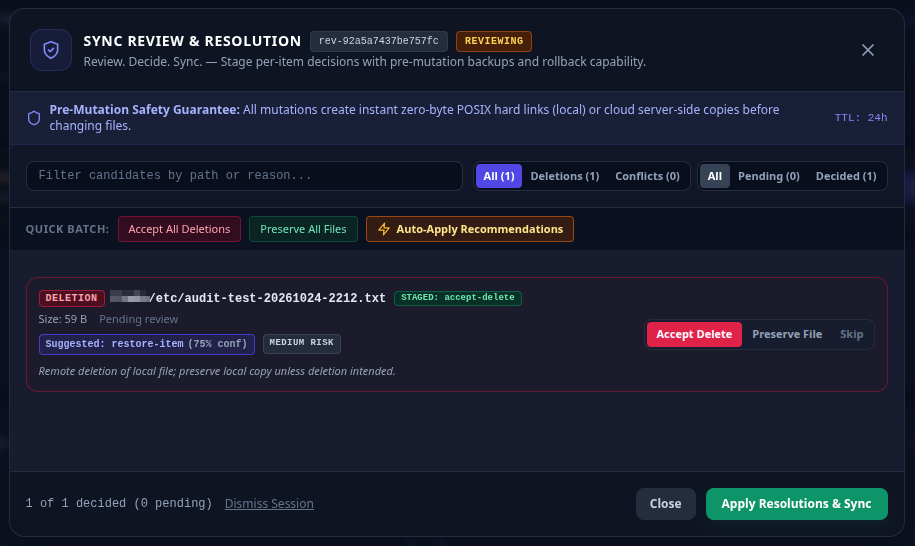
Operators can open the Web Dashboard review modal to:
- Inspect file diffs, file sizes, and last modified timestamps side-by-side.
- View intelligent heuristic evaluations (e.g. temporary lock file detection, canary protection, user local deletion identification).
- Selectively confirm specific deletions, restore/reject items, or auto-apply heuristic recommendations in batch.
- Stage atomic pre-mutation backups and trigger an authorized force sync directly from the modal.
Safety Guarantee: No file is ever removed when a review threshold is tripped until an authorized operator explicitly signs off or an automated timeout policy executes an abort.
Visual Review Workflow
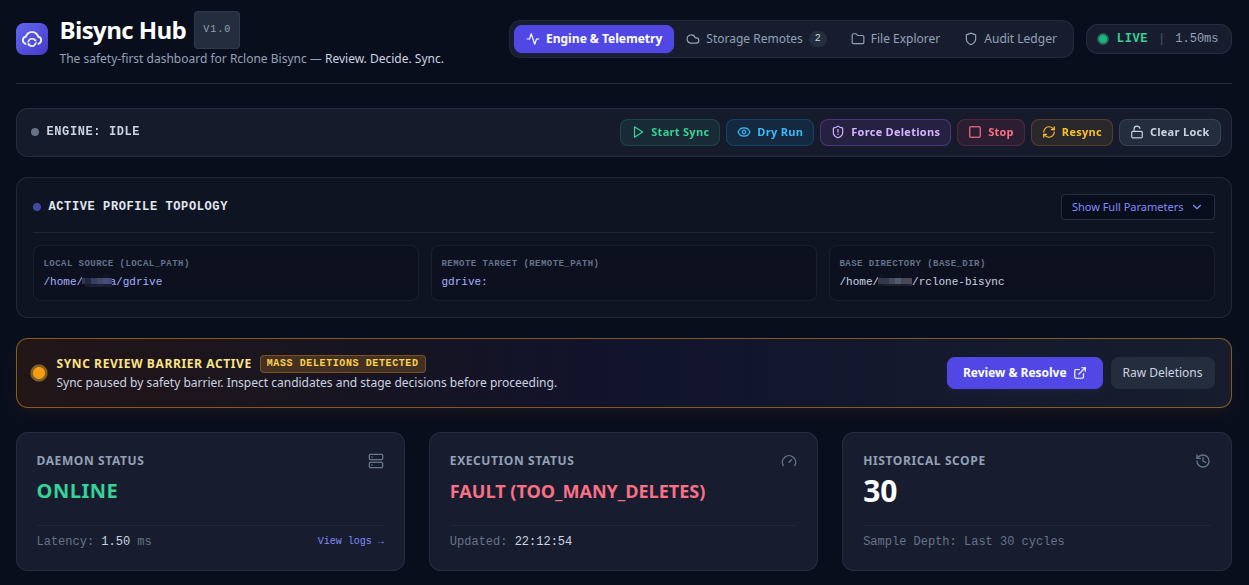
1. Barrier Activation on Threshold Exceeded
When deletion or conflict limits are breached during pre-flight analysis, the engine disengages automated replication and displays the persistent review barrier banner in the dashboard cockpit:
2. Resolution Modal & Heuristic Recommendations
Operators click “Review & Resolve Changes” to open the interactive triage modal. Every candidate file presents source paths, sizes, modification timestamps, deletion rationale, and heuristic recommendations:
3. Pre-Mutation Backups & Automated Execution
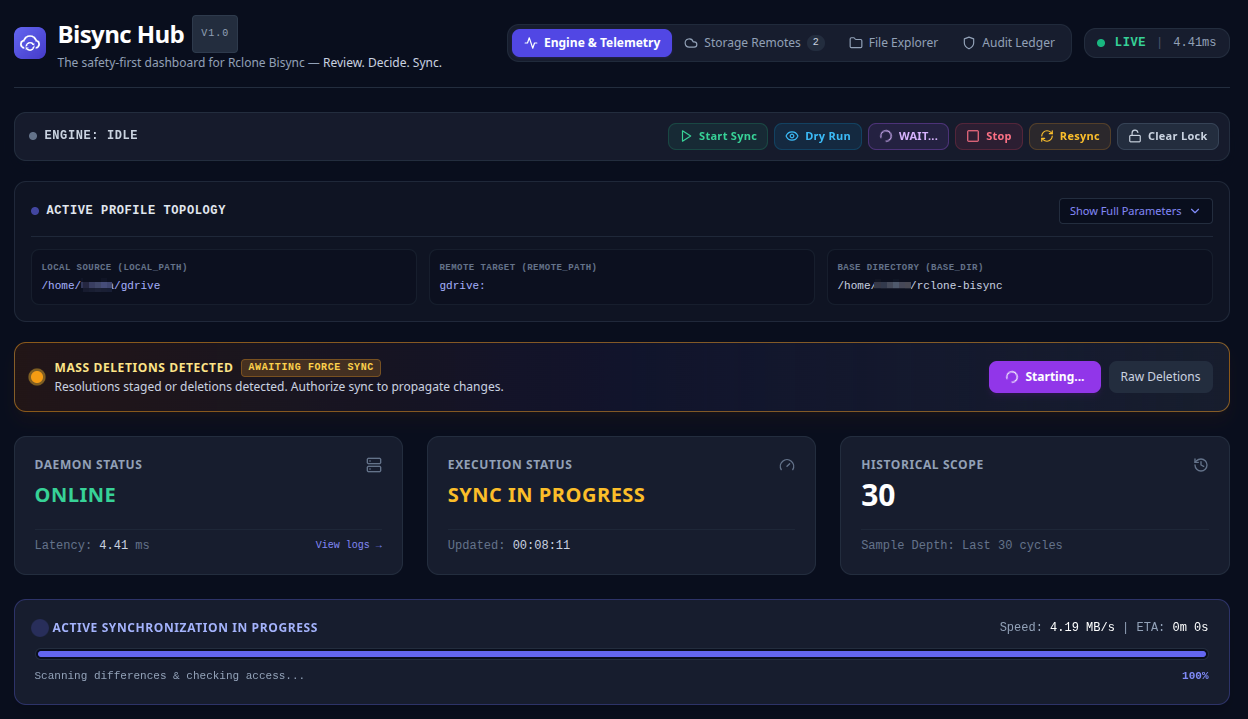
Applying resolutions automatically closes the modal, clears the pending review session, backs up mutated files into .review_backups/<session_id>/, and triggers an authorized background force sync:
4. Multi-Stream Correlated Daemon Diagnostics
Operators can track the resulting execution in real time through the correlated daemon log modal, confirming clean convergence and barrier dismissal: